

Sitecore XM Coud Forms – One Year On, What’s New?
Kamruz Jaman - Solution Architect
30 Jun 2025
When Sitecore launched XM Cloud Forms just over a year ago, it instantly became a hugely important piece of the XM Cloud ecosystem. Forms have always been at the heart of digital experiences, whether its for lead capture or surveys to event registrations, and a truly user friendly, no code, drag-and-drop Form builder is huge step forward for content authors.
So what’s been going on in the world of XM Cloud Forms in the past year?
Sitecore has quietly shipped a ton of enhancements. Because XM Cloud is SaaS, features don’t arrive as big “version releases.” They simply appear. And if you aren’t watching closely, you can miss just how much has been added, but that’s also the beauty of SaaS: no more upgrades, just new features!
New Forms Fields
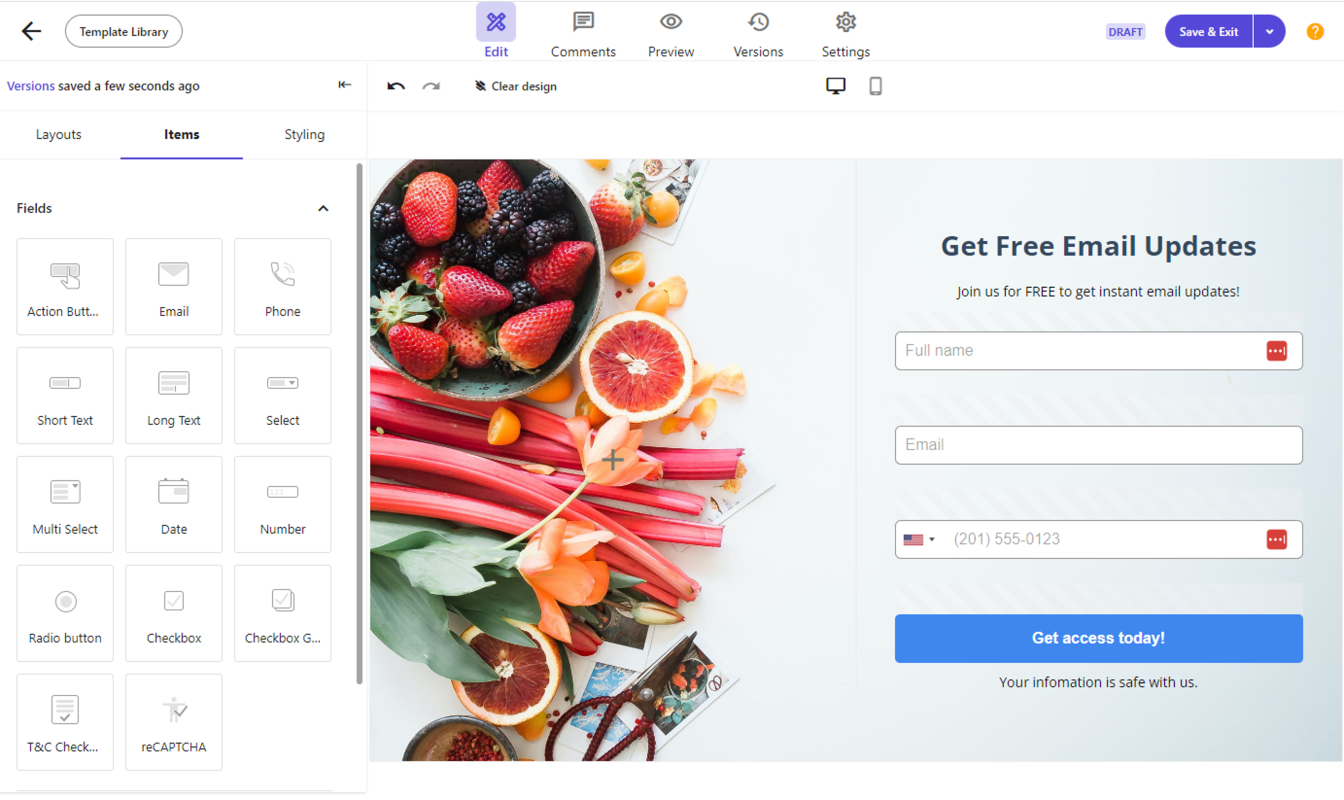
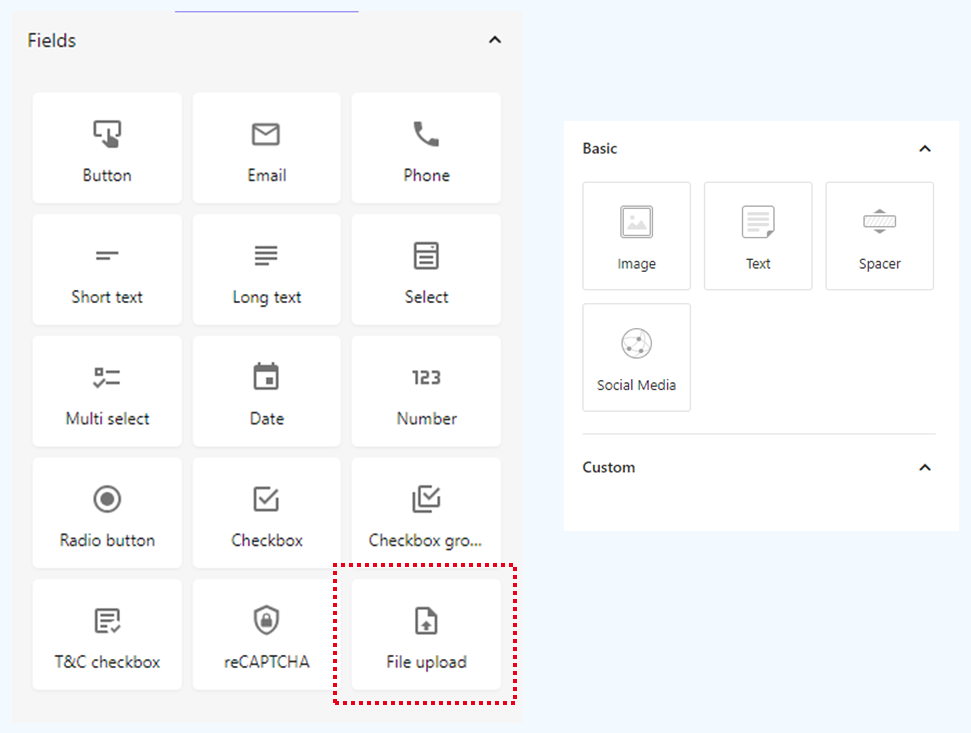
XM Cloud Forms now includes 15 field types, thanks to the addition of the new File Upload field.
It doesn’t sound like a lot, but the initial field set was already comprehensive. And File Upload just makes sense, whether its for job applications, support forms or anything else requiring attachments.
The File Upload field supports:
- Allowed file extensions
- Maximum file size
- Maximum number of files
- Rendering inside conditional logic
Conditional Logic
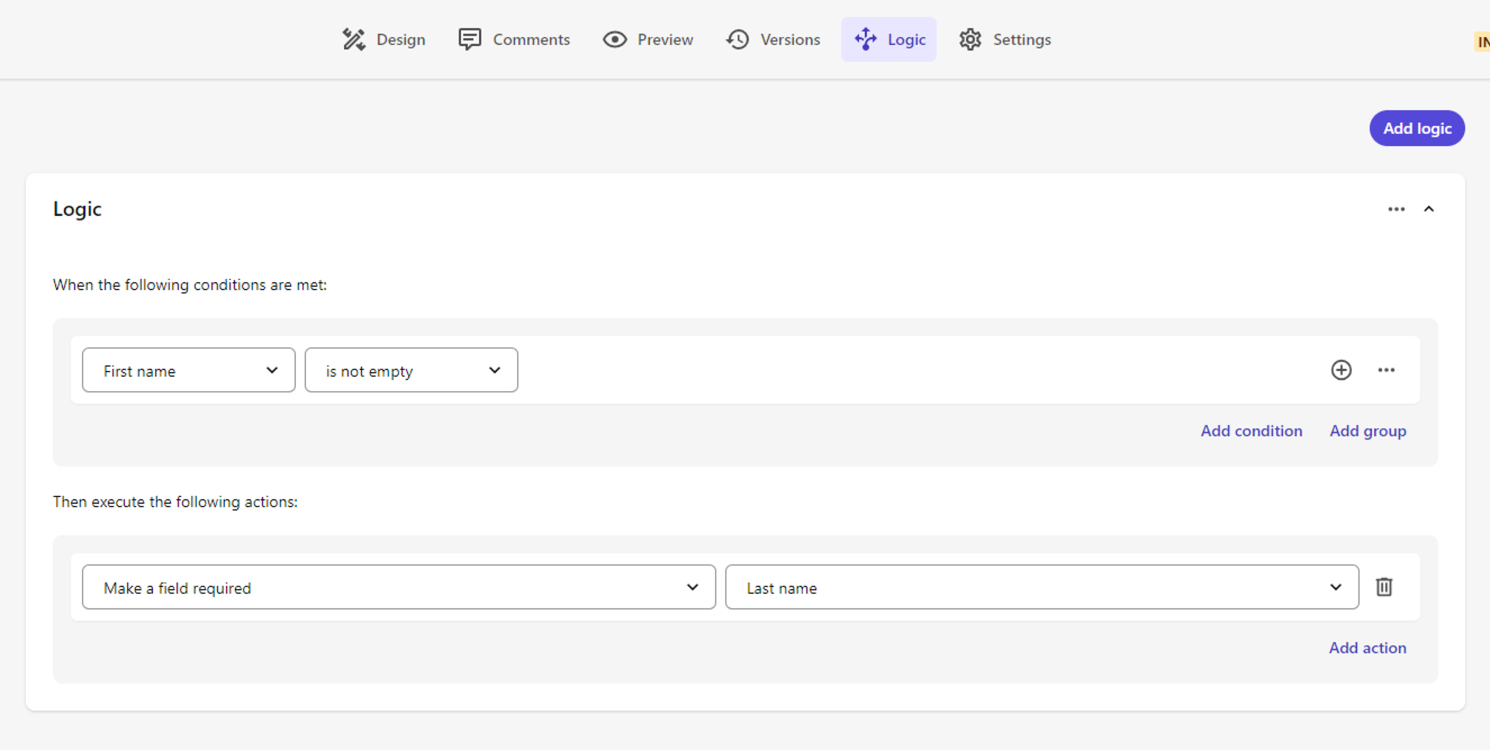
Originally missing at launch, Conditional Logic was released shortly after the initial release and has been extended since. This allows you create a personalised and interactive experience, improving engagement and the chances of successful completion of the form.
Conditional logic allow you to now set up the following:
- Show/hide fields based on other fields
- Make fields required conditionally
- Dynamically switch validation scenarios
- Update multi-step logic based on user choices
Global Styling
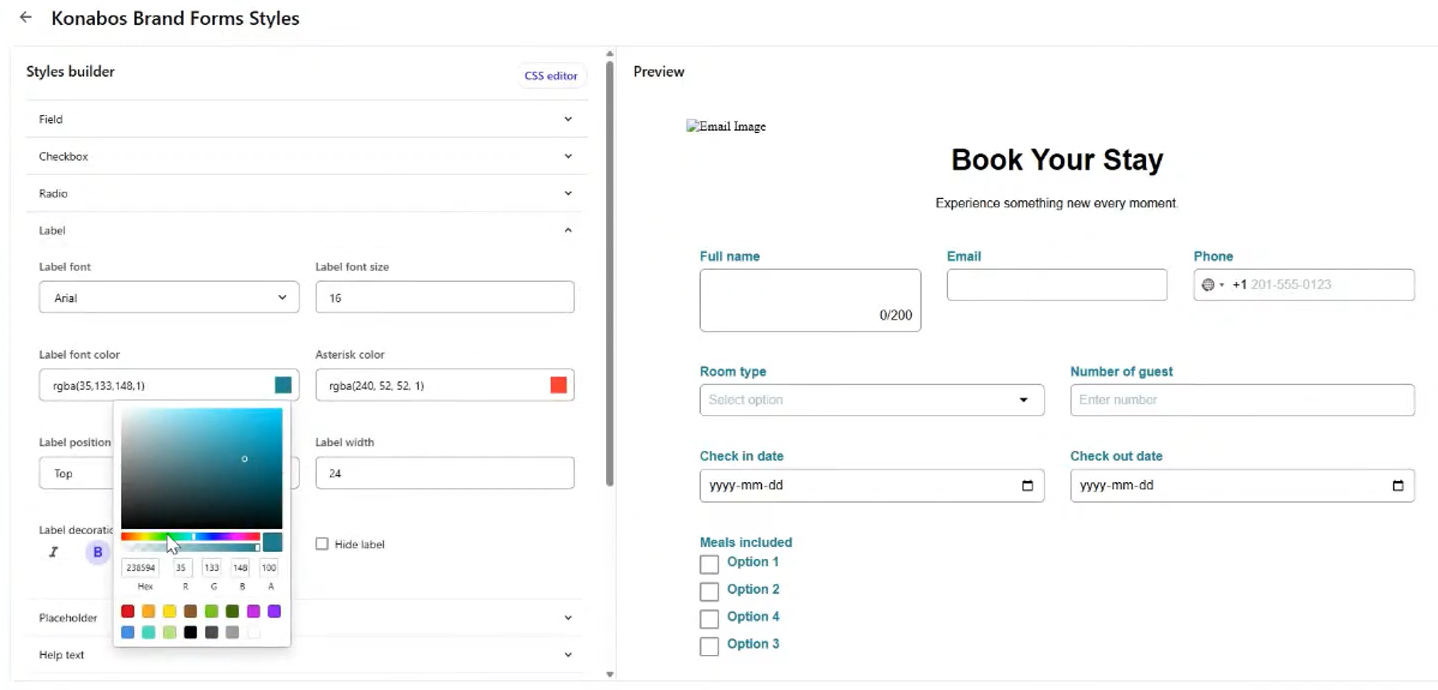
The initial release was very flexible in allowing forms to be styled, directly from the interface without the need to get developers involved. However, styling was confined to each individual form. You can apply styling to a form and either duplicate it or set it as a template for re-use. The drawback of that is that any changes in the future are not reflected in existing forms.
Instead of styling each form individually, you can now create a series of re-usable global styles and then apply them to individual forms. The styles can be created and updated using a visual builder or directly using a CSS code editor, which is prefect for developer who want full control.
Instead for create separate styled templates, you can now create a single form and apply a different style for each brand or specific instance of the form. This is genuinely powerful and perfect for organizations with multiple sites needing consistent branding.
Form Improvements
There have been a number of very useful quality of life improvements, removing from limitations from the original release.
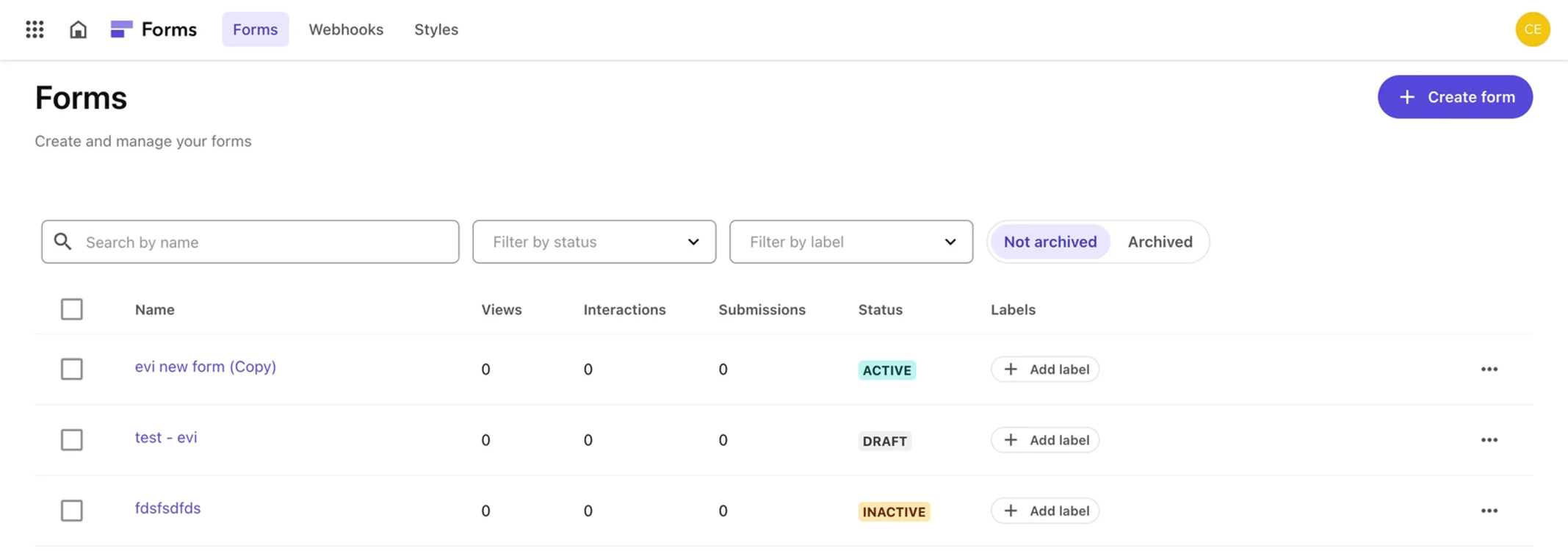
Editing Active Forms
In the initial release, once you activated a form it was no longer possible to edit it and make any changes. This was a huge limitation, and forced you to duplicate the form and make changes to that. This was a strange limitation, but now can finally update active forms. Just be mindful that changes take effect immediately when you make them.
Archive Forms
You can now archive a form when you’re done with it. This helps keep the form library clean and manageable. Perfect for time-limited campaigns, webinars or seasonal content.
Summary Page
It’s also now possible to insert a Summary Page in the form submission process. This allows you to show a confirmation of the responses before finally submitting, so users get a chance to edit the data before submission, which could be useful for things such as multi-step surveys, job applications or other high-value lead forms.
Site-Specific Forms
Also added is the ability to mark a form as available only on specific sites. This allows for improved management of forms in multi-site, multi-brand environments. One of the potential issues we talked about in our original webinar was the potential for the Forms Picker in the Pages app becoming very long, but this change along with the ability to Archive will really help keep things manageable and reduce the clutter.
Enhanced Analytics Dashboard
XM Cloud’s analytics have improved dramatically over the past year. Forms now include metrics like:
- Views
- Interaction rate
- Completion rate
- Abandonment rate
- Field-level insights
This will really help you refine forms to help meet your business goals. You can check whether forms are performing badly due to specific fields, for example maybe you are asking for too much data or are mandatory fields hurting conversions.
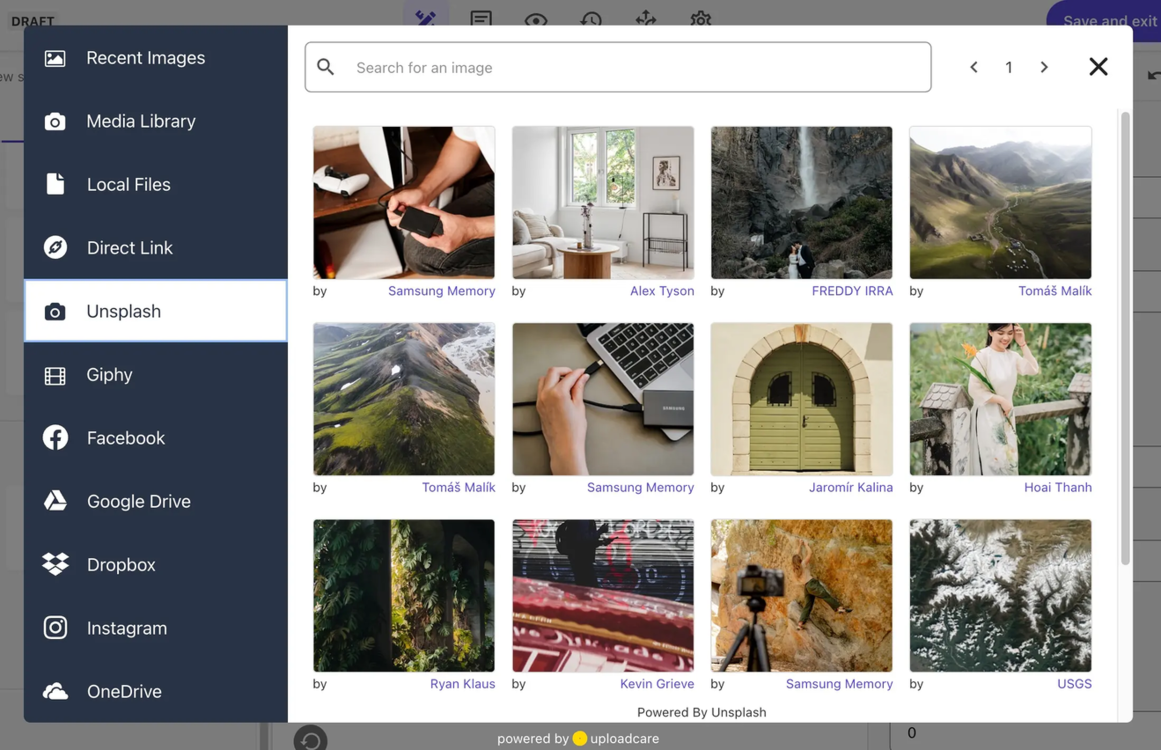
Media Library integration
A new integration has been added with the Media Library. Previously it was only possible to link to images using an external URL, uploading images into the Forms application or other available integrations (such as OneDrive, Dropbox, Google Drive, Instagram etc).
This allows brands to more easily manage their media assets from a single location and update them in the future.
External Data Source for Field values
Another new feature add is the ability to populate the values and labels for multi-value field types – select, multi-select. Radio button and checkbox fields – from data available in JSON format for an external URL endpoint.
This could be useful for re-usable data across forms, for example maybe a list of countries or states, saving you entering them separately for each form, and allowing you to update the values in a single location.
You can also prefill form fields using values passed in as URL parameters. This is useful for adding in additional context information or not asking the user for (repeated) information. For example, if the user is requesting more information about a product, you can just pass in the product name or id, meaning the customer can just fill in their specific details.
Multi-Environment Support
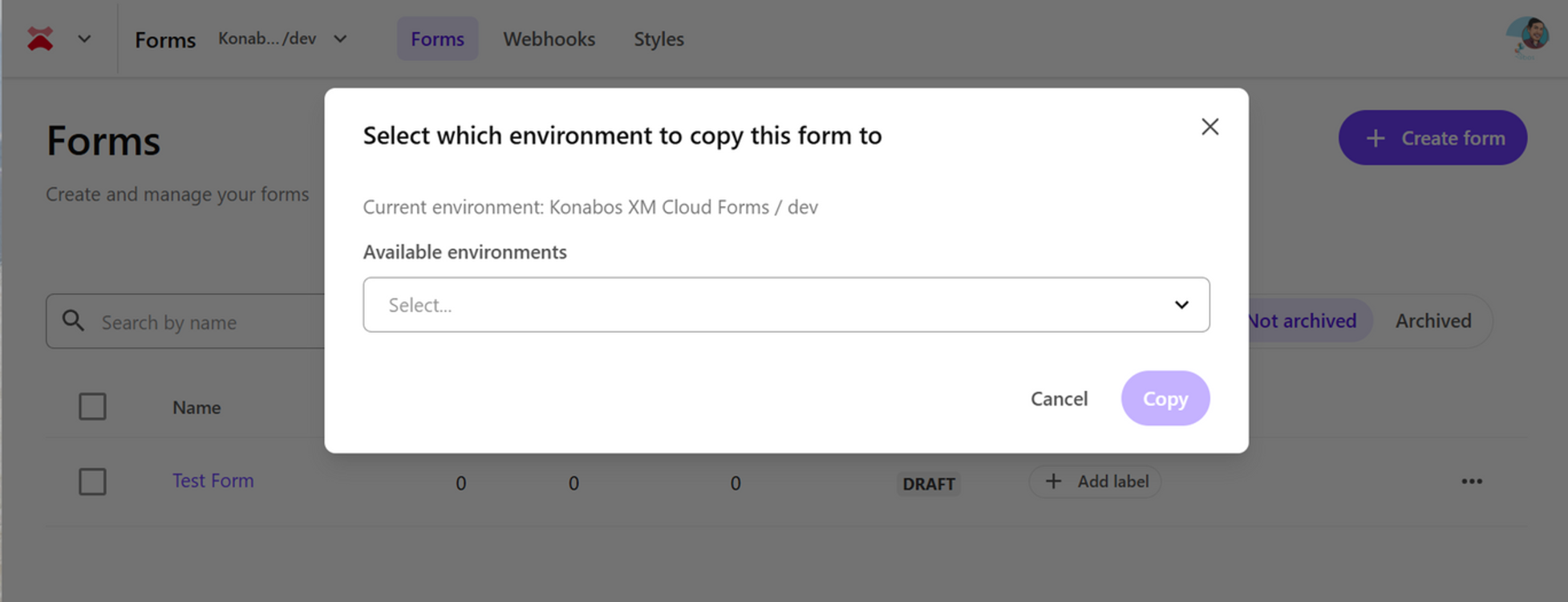
Support was added for copying forms across environments, which means you do not need to rebuild forms manually in each environment. This reduces errors in manually recreating them and allows you to more easily develop and test forms in lower non-Production environments first. You can then easily copy the form from Dev → UAT → Prod.
Along with the ability to copy forms, you can also share templates at an Organisation level, meaning you can create re-usable templates and re-use them across all your environments and sites.
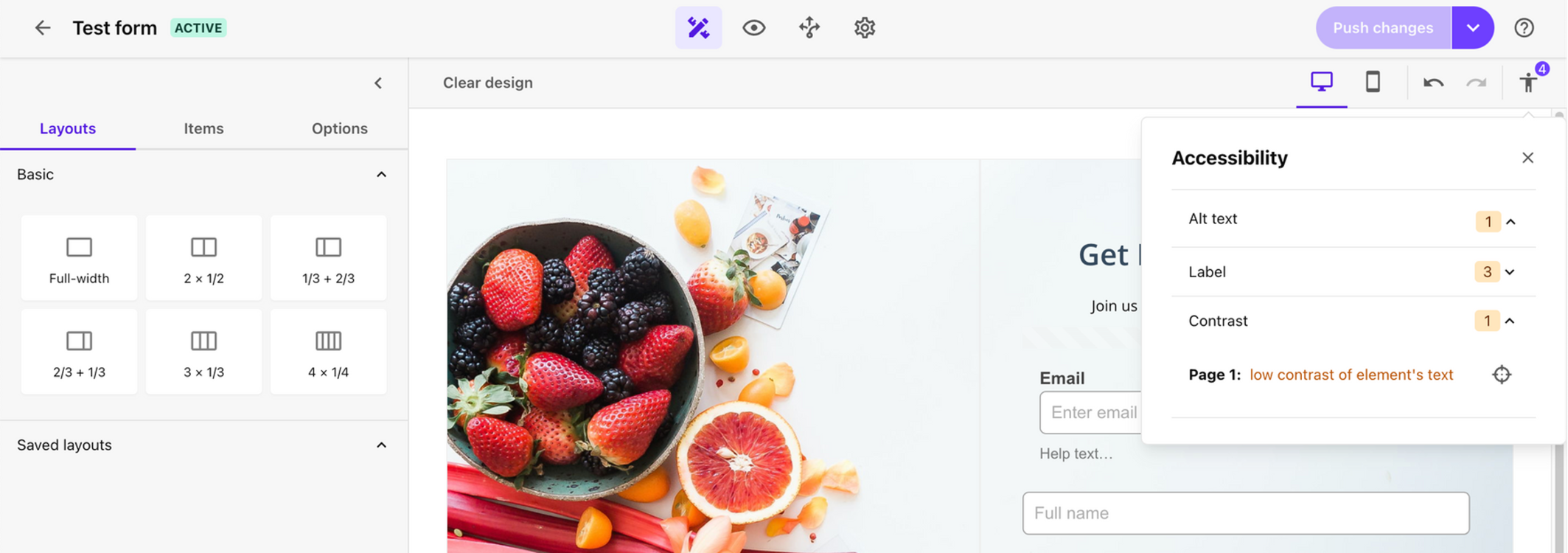
Accessibility Compliance
This one surprised everyone, in a good way! I absolutely love this new feature, accessibility should just be built into the forefront of everything we do.
XM Cloud Forms now includes real-time accessibility scanning and will check standards are being followed such as:
- Missing labels
- ARIA issues
- Keyboard navigation
- Screen reader compatibility
- Error handling
- Missing Alt text or contrast issues with text
Headless Component
Sitecore also improved and expanded framework support by refactoring the JSS/React wrapper component. This now provides a unified approach all frameworks, simplifying the developer experience.
This now officially brings support for Next.js and Angular, for support for .Net Core Rendering Host expected to be coming soon!
Wish List

In our presentation, we shared our wish list of features that could be added. Many of these were added in the months after the release and in the past year. Again, the beauty of SaaS meant customers were able to immediately enjoy the enhancements without needing to update anything themselves. We would still love to see support for the following.
- Multilingual support
- Custom fields and extensions
- Embeddable forms using JS emded codes
- Hide the Form once success message shown
- Manage forms using API
- Sitecore Connect Recipes for Webhooks?
- AI generated Forms?
Hopefully we’ll have a few more items from our wish list fulfilled in the future!
Conclusion
Just a year after launch, XM Cloud Forms has matured significantly. We expected as much, we saw similar when Sitecore launched Experience Forms on their XM/XP platform, and how that matured over time. XM Cloud Forms now includes many of the features marketers expect from a modern form builder: styling, conditional logic, file uploads, accessibility tools, analytics and composable data integrations.
It’s faster, cleaner, more intuitive and more scalable than anything Sitecore has delivered in the forms space before. Best of all, the enhancements we delivered seamlessly and frequently, without any action or updates required.
If you're already on XM Cloud, you should absolutely be using Forms today. If you're considering XM Cloud, this product should give you even more confidence in the ecosystem. If you want help implementing XM Cloud Forms, optimizing your form strategy, or exploring XM Cloud more broadly, feel free to reach out. The Konabos team is always happy to help.
Related Posts

Kamruz Jaman
Kamruz is a 14-time Sitecore MVP who has worked with the Sitecore platform for more than a decade and has over 20 years of development and architecture experience using the Microsoft technology stack. Kamruz is heavily involved in the Sitecore Community and has spoken at various User Groups and Conferences. As one of the managing partners of Konabos Inc, Kamruz will work closely with clients to ensure projects are successfully delivered to a high standard.
Share on social media