

Unleash the Power of Sitecore XM Cloud Forms
Kamruz Jaman - Solution Architect
8 Jan 2025
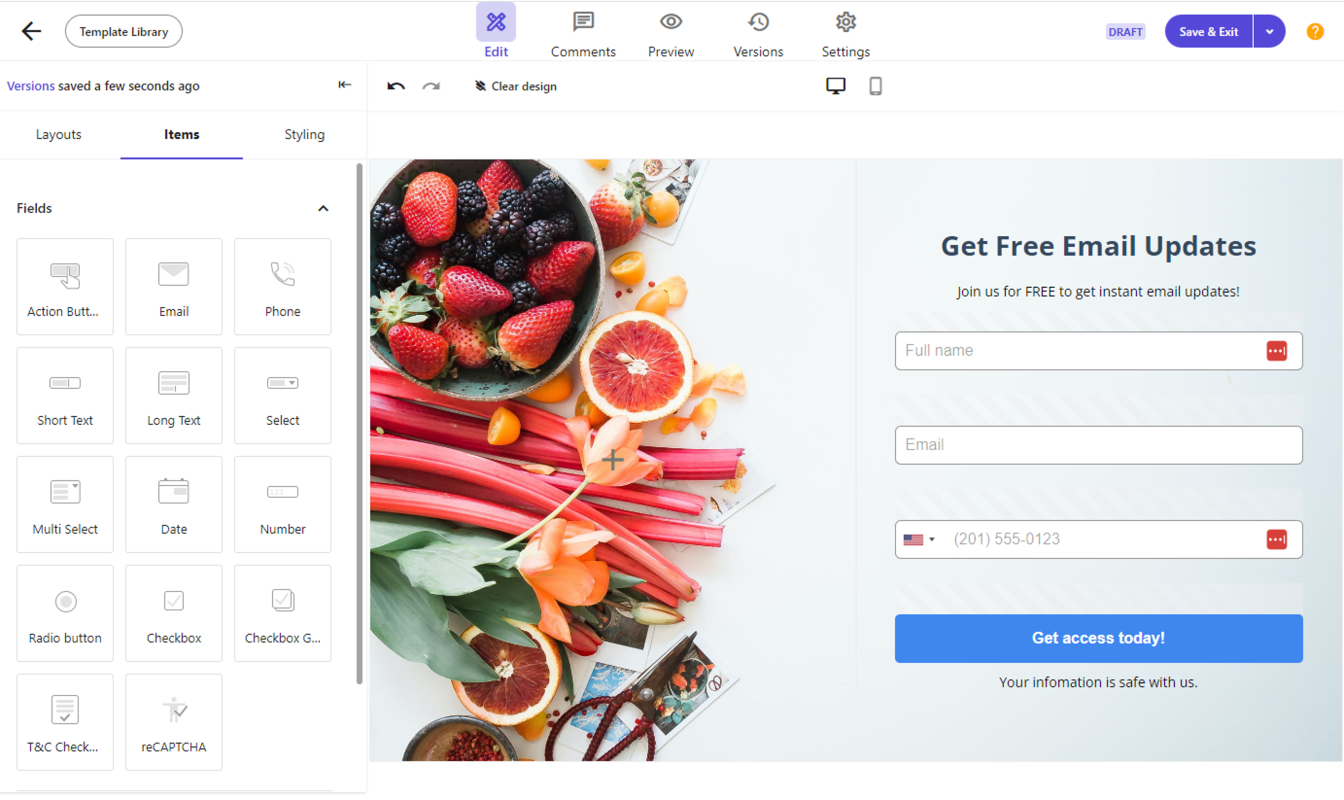
Last year Sitecore released the Forms application for their Headless SaaS solution XM Cloud. This had be a heavily requested feature, and prior to this you were required to integrate forms using a composable approach, and integrating with 3rd party solutions. In itself not an issue, but Sitecore customers have long enjoyed full integration with an in-built solution.
Soon after the release, myself and my good friend Mike “Sitecore Junkie” Reynolds presented a webinar where we explored this new product, run through some of the core benefits and explained where some gaps could potentially be addressed in the future. One thing was immediately clear though: Sitecore had finally delivered a modern, intuitive, marketer-friendly form builder designed for the composable era.
Why Forms Matter
No matter how large or complex your digital ecosystem is, one rule stays constant: eventually, every website needs forms to collect information.
Forms have always played an essential role in digital experiences, but they were often the part of a Sitecore project that required the most customisation and integrations, and previously they required very rigid ways of working meaning it was often the least enjoyable developer work. But more important than this though is that marketers need to be able to create and update forms without developer support and long development/deploy cycles.
There has not been a single Sitecore project I have worked on over the past 15 years that did not use the Forms module – whether the very first Web Forms for Marketers or the newer Experience Forms.
Brief History of Forms in Sitecore
Sitecore has also understood just how important a role Forms plays and marketers need the ability to create, update and track these without requiring custom development every single time. And Sitecore has along history in enabling this.
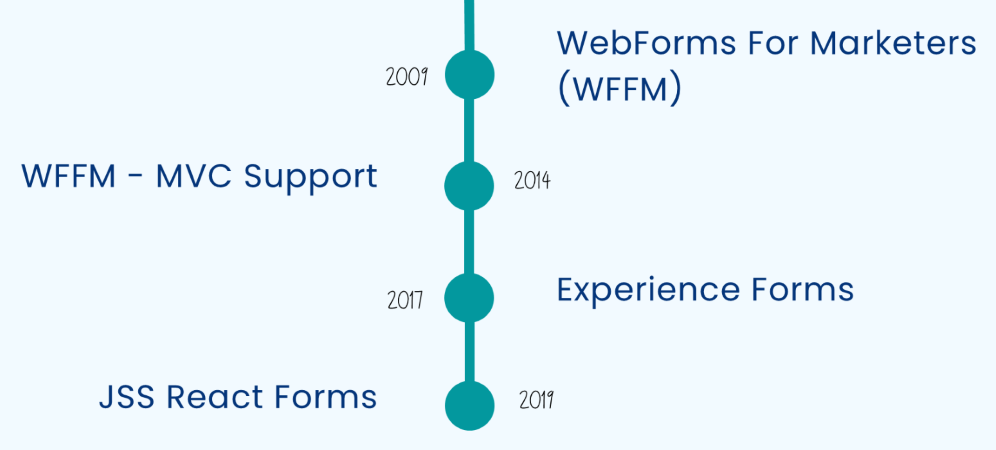
Web Forms for Marketers (WFFM) was the original released, dating back to 2009. It was powerful, flexible and very extensible but lacked clear documentation. This meant it was difficult to understand and was often abused when integrating with it. The interface, whilst it allowed forms to be created, wasn’t the most user friendly and lacked visual editing. It also lacked support for the MVC framework until 2014, which prevented many from migrating to the more modern and popular Microsoft framework.
Experience Forms was released in 2017, with a modernised UI and a fresh start. This brand new product, for on-prem XM/XP, improved the authoring and integration process significantly, was cleanly written and well documented. Over time, the features in the product became better and better, with many community enhancements too. But updates still depended on the full platform releases so enhancements were slower to roll out.
Along the way, Sitecore also added support for JSS/Headless in 2019 and an Embeddable Forms Framework (EFF) in 2022, allowing forms to be embedded anywhere, even non-Sitecore sites.
Introduction to XM Cloud Forms
To fill the missing void, last year Sitecore released XM Cloud Forms. This wasn’t just an update to the previous version, this was a ground up rebuild as a standalone, cloud-hosted application for the modern composable era. It gives teams a clean, fast, no-code form builder right inside the XM Cloud ecosystem which can work seamlessly with headless frameworks, and being a SaaS product meant that iterative updates and new features could be delivered fast and with any interruption to service.
XM Cloud Forms features include:
- Modern Drag & Drop builder
- Visual Editor
- Device Previews
- Easy Embedding
- Send form data to third-party systems using Webhooks
- Independence from SXP Forms!
Key Features
Below is a breakdown of the major features that shipped with the initial release of XM Cloud Forms. Each one was designed to simplify form creation while provide flexibility to developers and marketers.
Form Fields
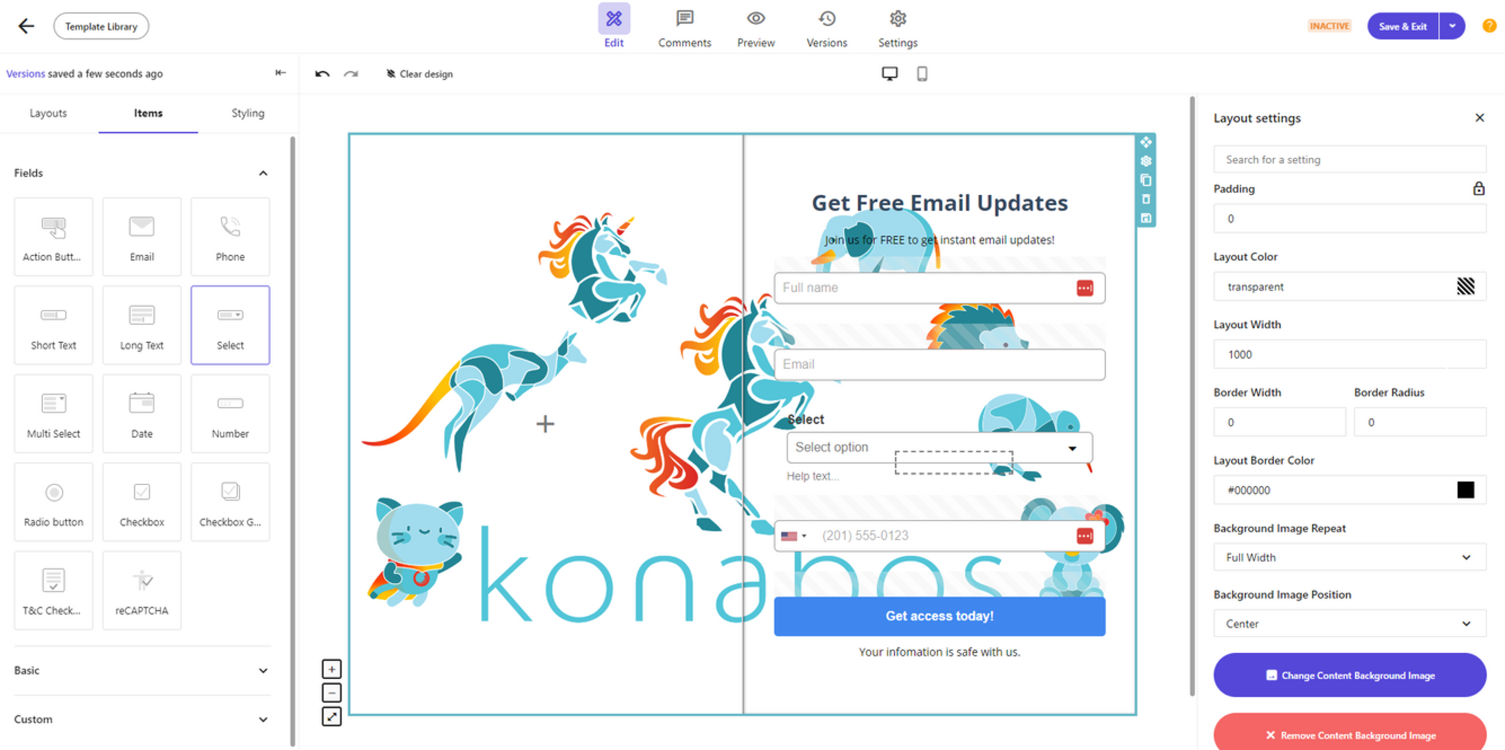
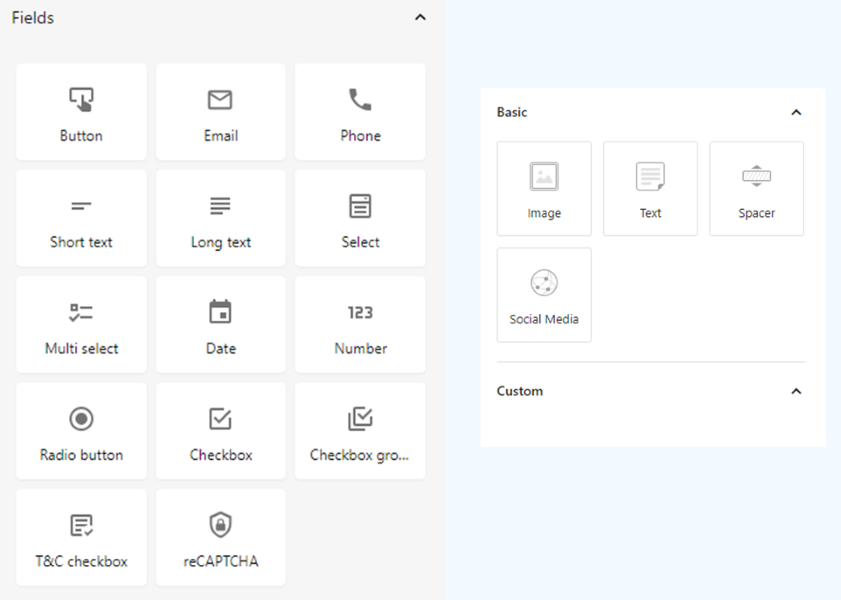
XM Cloud Forms launched with a comprehensive library of fundamental field types:
- 14 different field types available
- Text / Number / Email
- Checkbox & Radio lists
- Dropdowns & multi-selects
- Date pickers
- Headings and paragraphs for UI content
- Validation options for each field
This set covered the majority of everyday use cases right from day one. It also allows you to set validation on each field, such as making it required or setting minimum text length for example. You also have multiple options to style the fields and labels using visual editing, making is very easy for non-developers to use.
Layouts
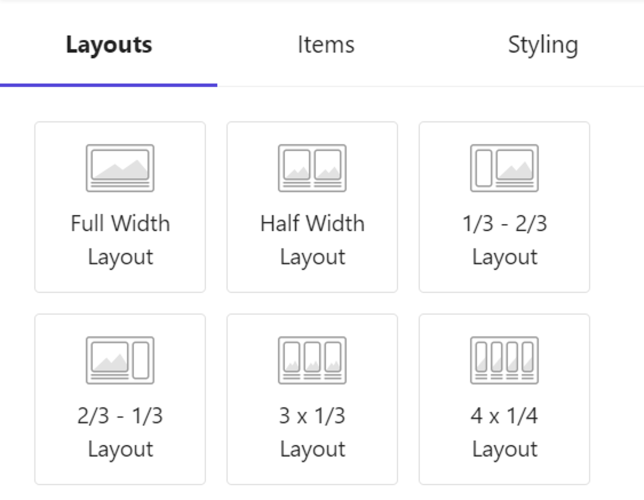
To help authors design visually structured forms, XM Cloud Forms includes layout elements such as 1-column, 2-column and 3-column grids layouts. These provide flexible and responsive drop zones, allowing you to add fields, labels and other elements with the drag-and-drop interface.
No need to manually add or remember CSS classes and no markup tweaks by developers, providing clean, intuitive control over form layout and structure.
Design in Responsive
One of the standout features that all marketers would love is the ability to preview the form directly in mobile, tablet and desktop views. Responsive designs are a minimum standard these days, and the amount of users/traffic that is viewed in mobile often surpasses that of desktop, so the requirement to ensure things look good in mobile and small screens is important.
This means authors can confirm:
- Field widths
- Column stacking
- Button sizing
- Layout behaviour
And all this without leaving the builder.

Multipage Forms
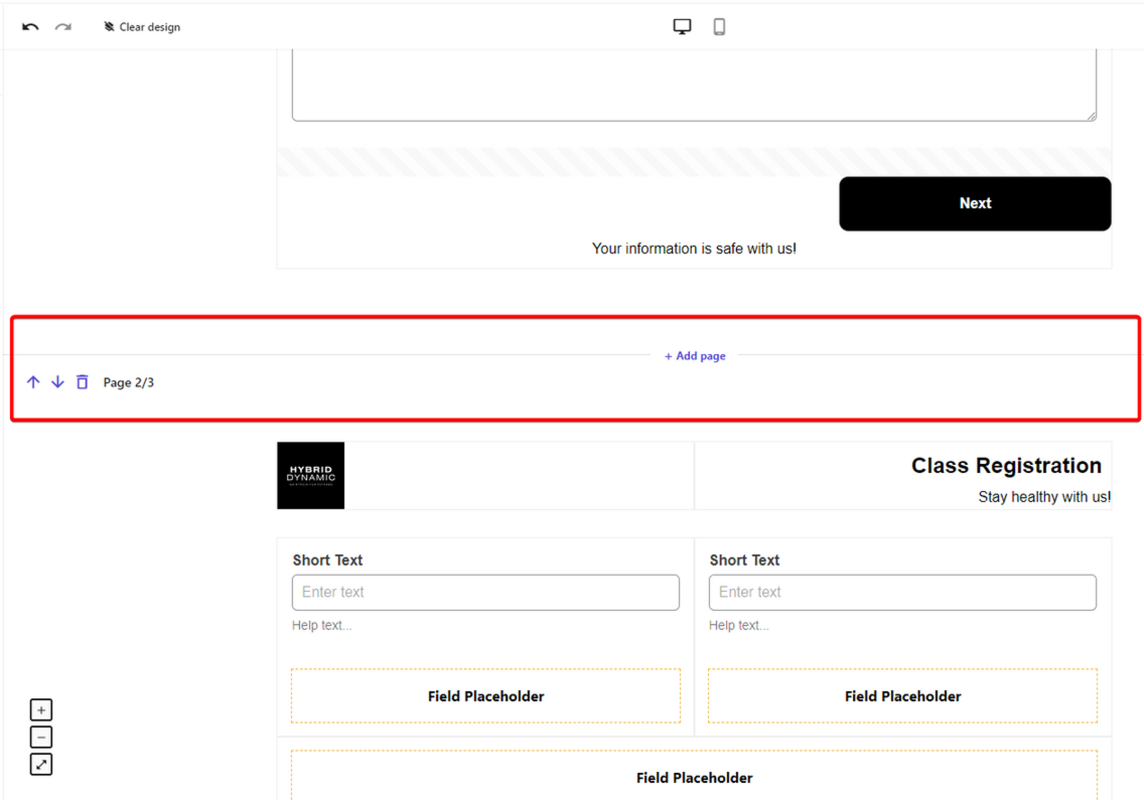
Long forms can overwhelm users, so XM Cloud Forms includes support for multipage “wizard-style” form flows. It allows marketers to break data collection in the forms into smaller, more manageable sections. The Forms application is smart enough to know that it needs to add page flow controls automatically (previous/next buttons), and even move the final submit button to the last page. I was also impressed with the small details in validation, like the fact that if you had a Recaptcha control on the first page, it would warn you this would cause submission errors.
Form Templates
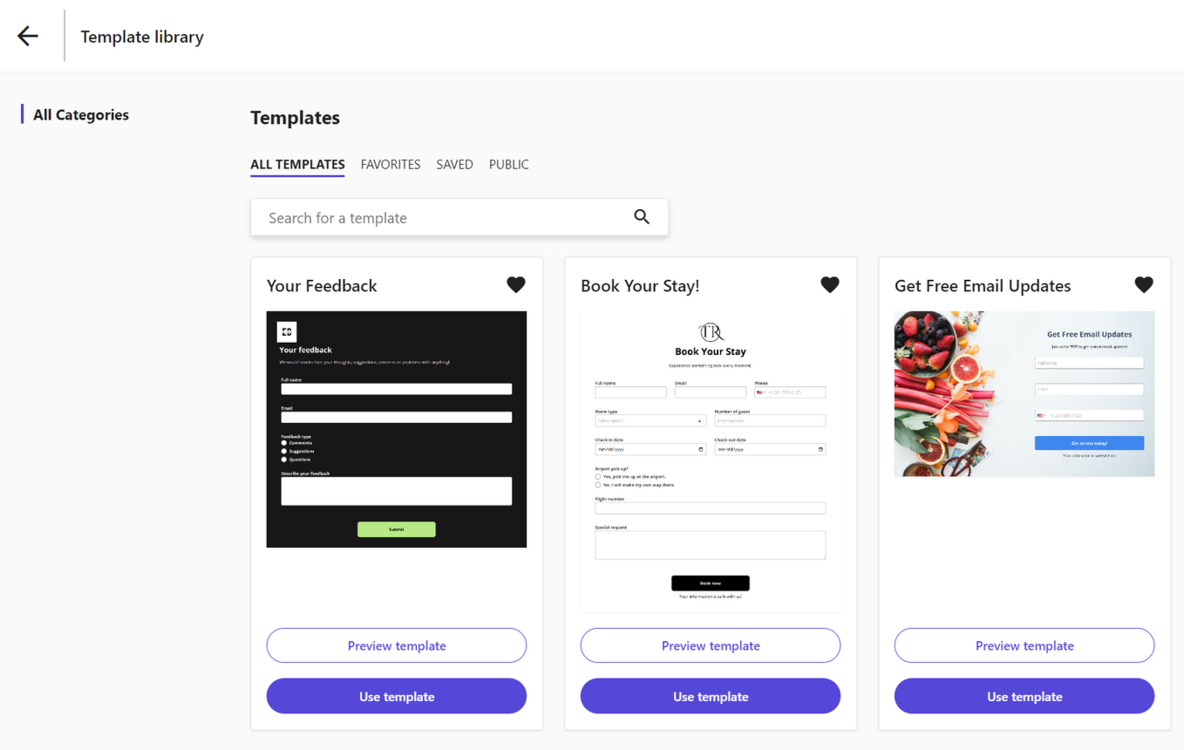
To speed up form creation and support consistent branding, XM Cloud Forms launched with Form templates. This will help you streamline the creation of forms that are often used, but may require small tweaks. You can also add all your brand styling into each template, ensuring a consistent experience and branding.
Out of the vox, there are 5 pre-built templates available. These also provide good examples of the types of form layouts you can create and the variations in styling that can be achieved.
Templates also give teams a head start and ensure best practices are baked into form building.
Webhooks
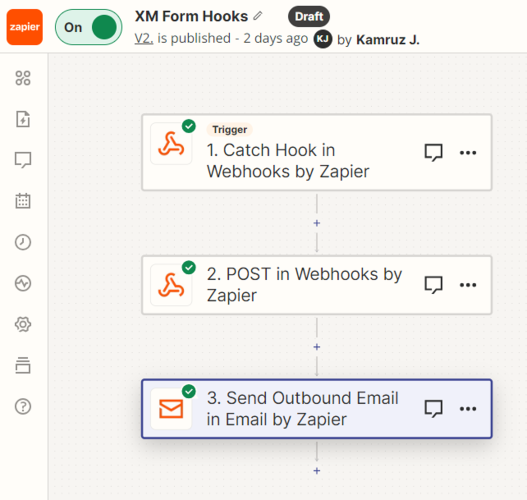
Perhaps one of the most significant architectural shift is that XM Cloud Forms sends submission data using modern Webhooks. This replaces decades of “submit actions” and gives true composability:
- Send data to CRMs
- Trigger workflows
- Push entries into marketing automation platforms
- Integrate with tools like Zapier, Sitecore Connect or custom APIs
This also means:
- No PII data is stored in Sitecore
- No need for backend code
- No need for custom submit actions
For developers especially this is a massive improvement, but also gives marketers some great options to use no-code tools to handle form submission data. Although a different approach than we had with the on-prem version, this very much fits with the Composable and Headless paradigm.
Integration with Pages
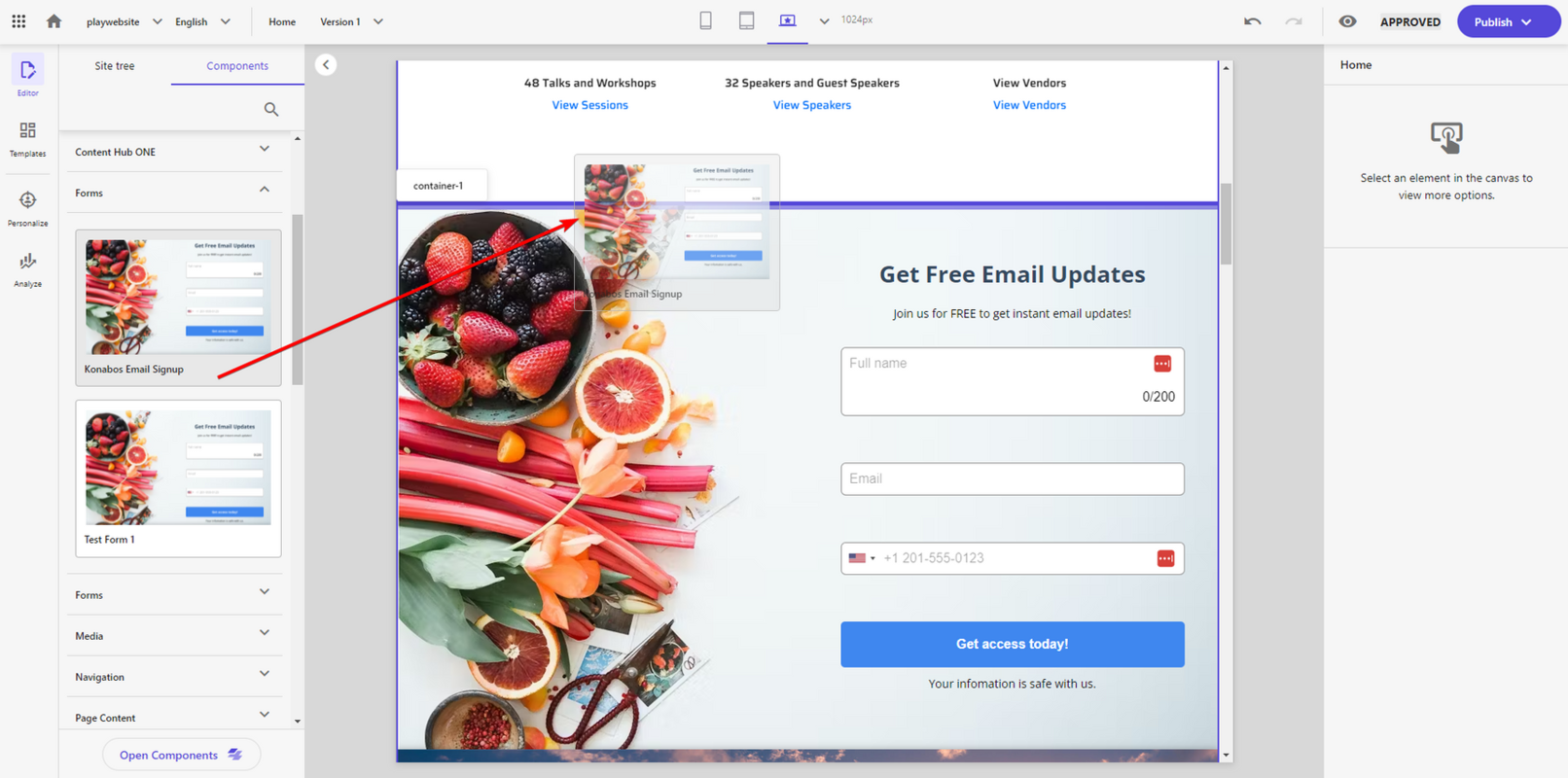
And finally, as you would expect, of course the forms can be easily added to your site using the XM Cloud Pages editor. Once you have created a form and marked it as Active, it becomes instantly available in the Components library from Pages, allowing you to drag-and-drop them into the correct place on each placeholder. This also give you rea-time visual previews inside the page editor too.
This keeps authoring seamless and very friendly for your content authors. They can visually build the form in the Forms app, then simply drop it into a page with no developer intervention required.
Wish List
The release of XM Cloud Forms is quite feature rich and already checks many boxes, especially for an initial release. We saw over time many new features being added to both WFFM and Experience Forms, but being SaaS, we expect this evolution to happen much more quickly in the world of XM Cloud Forms.

Here are some features we hope would eventually be added to XM Cloud Forms:
- Multilingual form support
- Conditional logic
- Custom fields and extensions
- Enhanced Form analytics
- JS Embed Code (allowing them to be embedded and collect data outside XM Cloud)
- Edit forms once activated
- Archive old forms
- Hide the Form once success message shown
- Migrate forms between environments (Dev/Test/Prod)
- Manage forms using API
- Sitecore Connect Recipes for Webhooks?
- AI generated Forms?
- Environment-to-environment migration
- Custom field types / extensibility hooks
We’re excited to see the evolution of XM Cloud Forms, see what new features are added and how seamlessly we see the enhancements being available to XM Cloud users.
Conclusion
XM Cloud Forms marked a major milestone for Sitecore’s composable journey. It delivered a fresh, modern, SaaS-native tool for one of the most essential pieces of any website, gives the power of form creation back into the hands of the marketers and content authors.
With it’s intuitive drag-and-drop controls, responsive design tools, multipage flows, reusable templates, and webhook-based submissions, XM Cloud Forms has instantly become one of the most important features for marketers adopting XM Cloud.
If you’re exploring XM Cloud or want help evaluating how Forms can support your digital strategy, feel free to reach out. The Konabos team is always happy to help.
If you missed the webinar and walkthrough of XM Cloud Forms, you want watch it here: https://konabos.com/video/sitecore-xm-cloud-forms

Kamruz Jaman
Kamruz is a 14-time Sitecore MVP who has worked with the Sitecore platform for more than a decade and has over 20 years of development and architecture experience using the Microsoft technology stack. Kamruz is heavily involved in the Sitecore Community and has spoken at various User Groups and Conferences. As one of the managing partners of Konabos Inc, Kamruz will work closely with clients to ensure projects are successfully delivered to a high standard.
Share on social media